
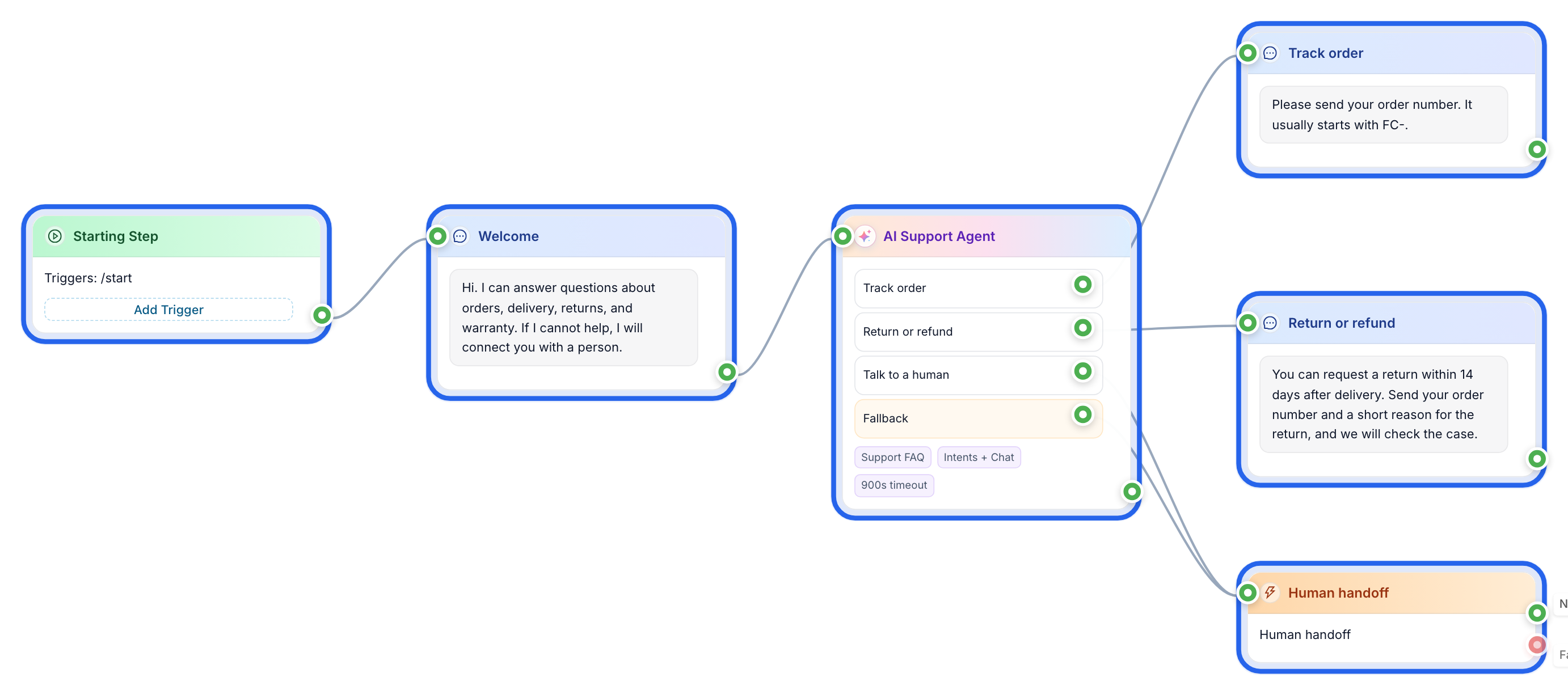
Everything this guide builds is available as a ready-made flow — clone it and adjust instead of starting from scratch.
Open the templateAn AI support bot fails in two common ways. The first version is only a button tree with an AI label on top. It can route a few obvious questions, but it breaks as soon as a customer writes in their own words. The second version is worse: a raw language model connected to your inbox. It sounds confident, invents answers, and keeps talking when it should bring in a human.
The practical version sits between those two extremes. It answers routine questions from your own knowledge base, recognizes the requests you already know how to handle, and passes the conversation to a person when confidence is low or the customer asks for help.
In this walkthrough, you will build that version for Telegram in FlowCastle. The ready-made AI FAQ + Human Handoff template is linked at the end, so you can start from the same structure instead of building from a blank canvas.
What you will build
The finished support flow has five parts:
- a short welcome message
- an AI agent connected to your knowledge base
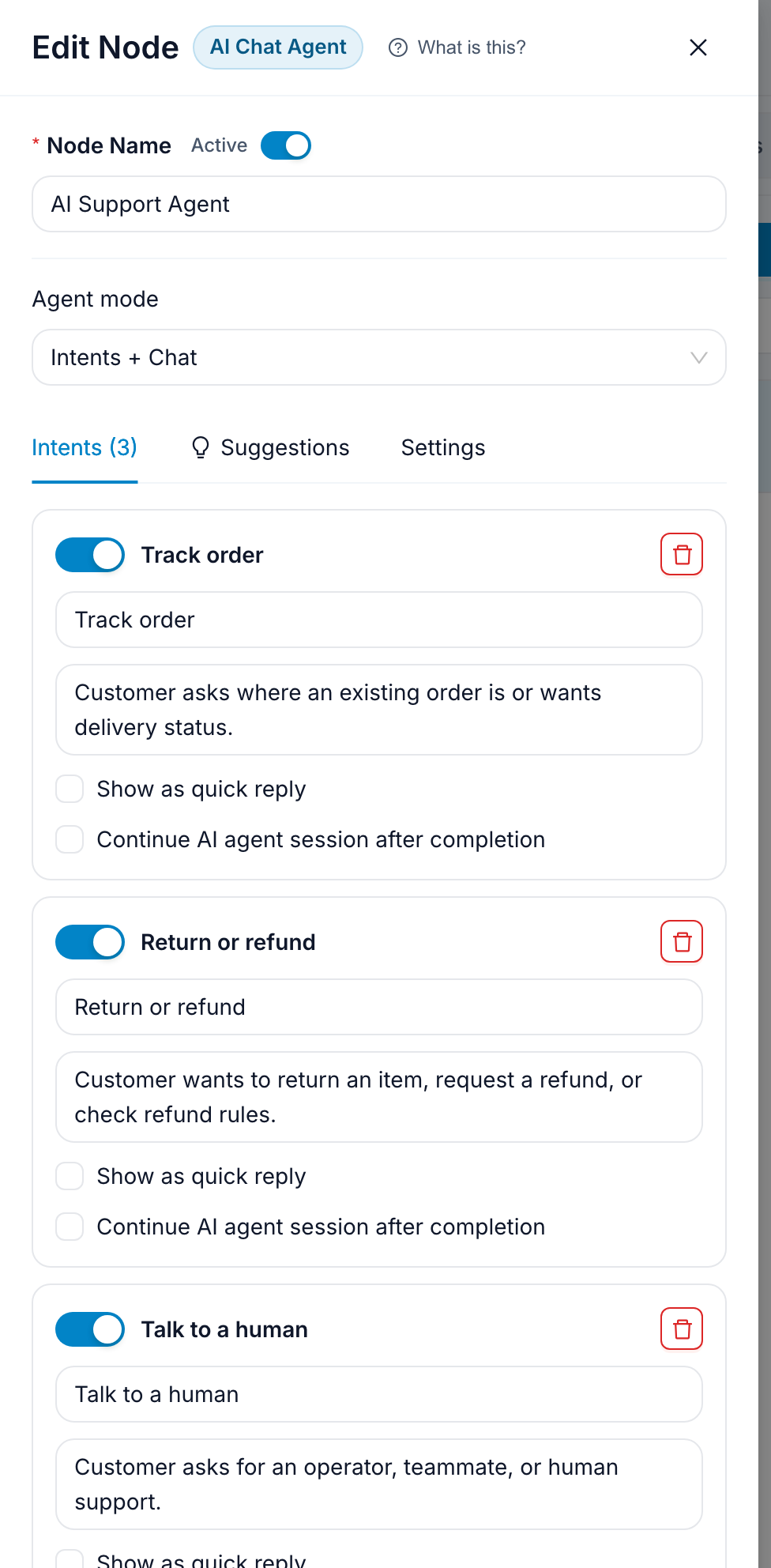
- three explicit intents for common requests
- a human handoff path for exceptions
- a weekly improvement loop based on real conversations
The example is for a small ecommerce support bot. It can answer questions about delivery, returns, warranty, and order status. It also knows when to move the customer to a human operator.

Step 1: Start with a clear support promise
Begin with a welcome message before the AI agent. Do not open with a long explanation of what AI can do. Tell the customer what happens next.
Use this copy:
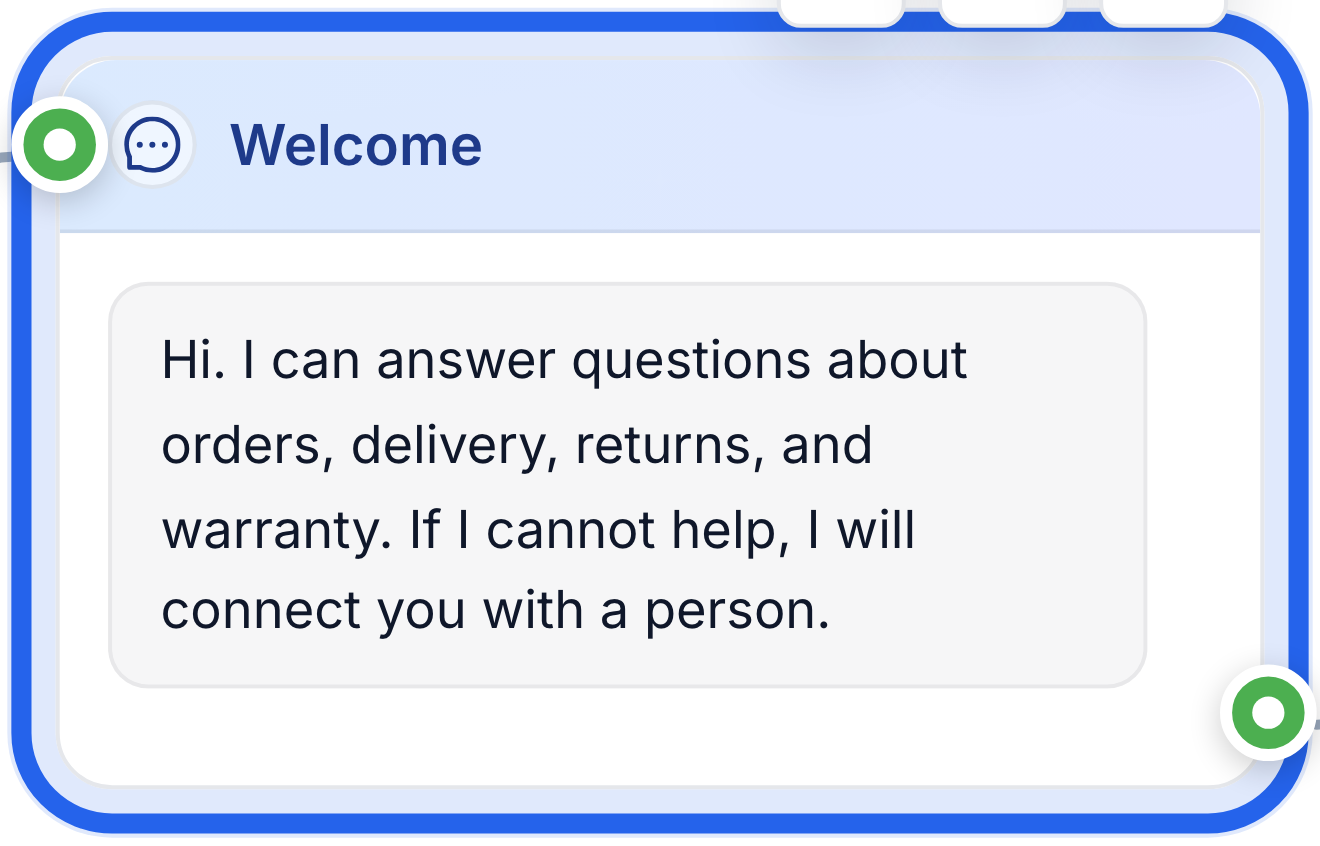
Hi. I can answer questions about orders, delivery, returns, and warranty. If I cannot help, I will connect you with a person.
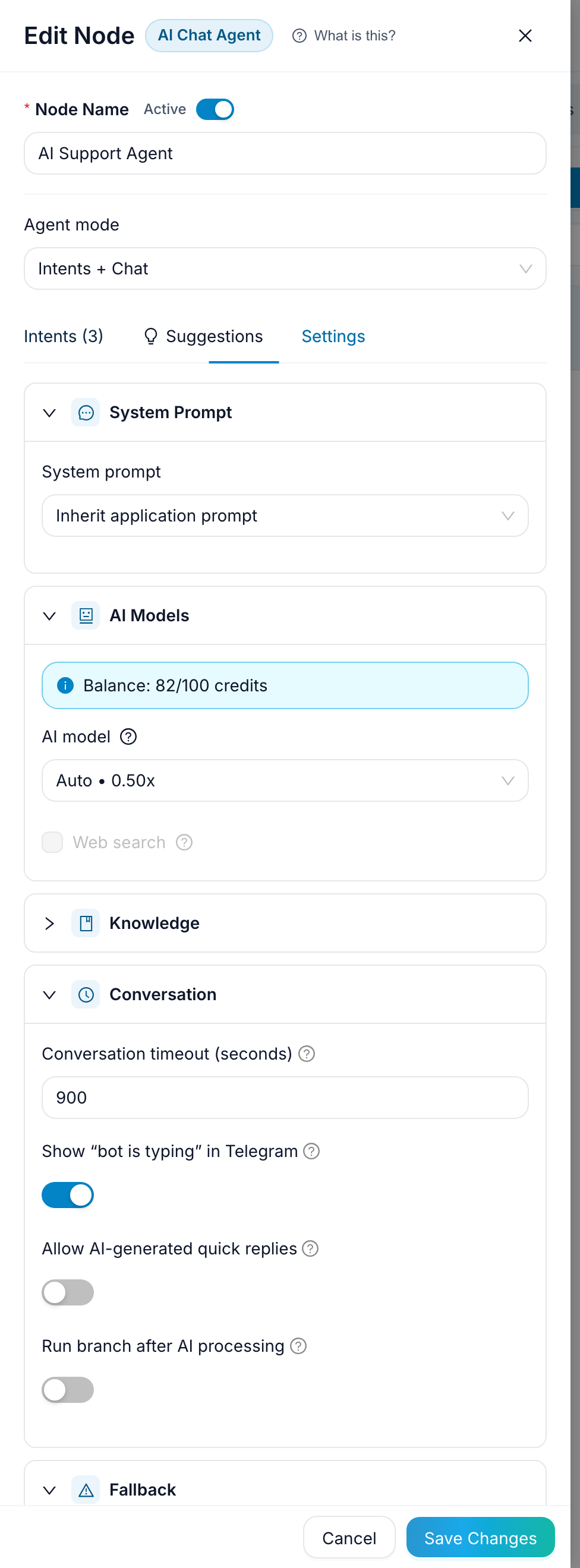
That last sentence matters. It reduces the risk of a customer feeling trapped in automation. The bot is allowed to help, but it is not pretending to replace support.
Connect this welcome message to the AI agent step.
Step 2: Attach the knowledge base
Create a knowledge base for the agent and upload the documents the bot is allowed to use. For this example, start with four short files:
shipping-policy.mdreturns-and-refunds.mdwarranty.mdorder-status-faq.md
Keep the files boring and specific. A good support knowledge base says:
- how long delivery usually takes
- what information is needed to check an order
- which items can be returned
- how many days the customer has to request a refund
- when a person should review the case
If the answers are already published on your site, you do not have to retype them. Import from website in the Knowledge bases section reads your pages and saves one document per page — see Turn Your Website Into a Knowledge Base. It is the fastest way to get a base with real prices and real services in it.
Do not stop there for a support bot, though. Public pages are written to sell; support needs the boring version — the exact return window, the exact delivery times, the sentence you are comfortable sending to a customer at 2am. Import the site, then add those few policy documents by hand. Both kinds live in the same base.
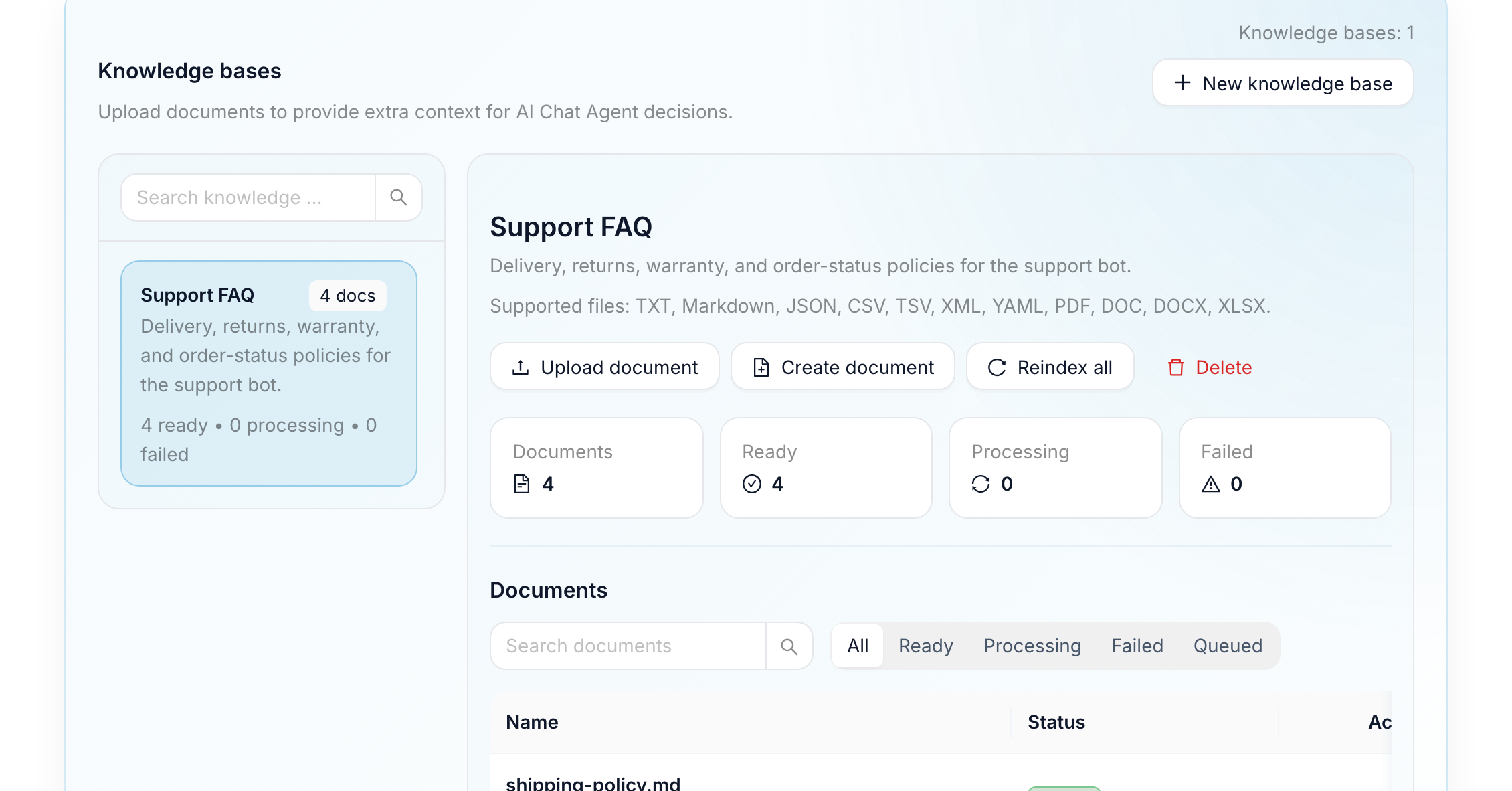
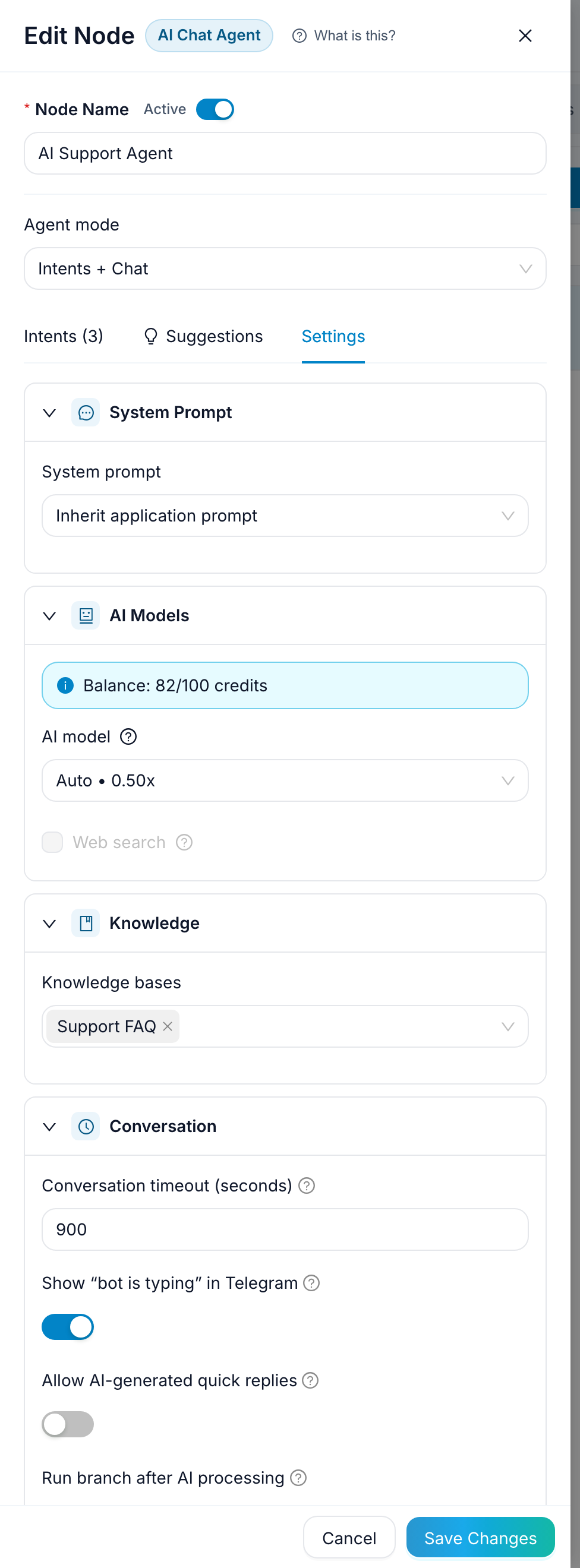
After uploading the files, attach the knowledge base to the AI agent. The agent should answer from those documents rather than from general model knowledge.
Step 3: Add explicit intents for known requests
Use intents for requests that should always follow a predictable path. In this example, add these intents:
- Track order
- Return or refund
- Talk to a human
For Track order, route the customer to a message that asks for the order number:
Please send your order number. It usually starts with
FC-.
If you already store order data in an external system, this is where you can later add an integration step. For the first version, it is enough to collect the order number and hand it to support.
For Return or refund, route the customer to a message that explains the policy and asks for the order number:
You can request a return within 14 days after delivery. Send your order number and a short reason for the return, and we will check the case.
For Talk to a human, route directly to the human handoff path.
Everything outside those known intents can still be answered by the knowledge base. That is why the useful mode is not only intents and not only chat. Known requests get deterministic paths; long-tail questions get AI answers grounded in your documents.
Step 4: Define when the bot must hand off
The handoff rule is the part that makes the bot safe to use in production. Add a human handoff path and use it in three cases:
- the customer asks for a person
- the request involves a refund, complaint, or edge case
- the AI answer is not confident enough
Use this message before the handoff:
I will connect you with a teammate. They will see this conversation, so you do not need to repeat the details.
Then route the conversation to Live Chat. The operator should receive the conversation history and the context collected by the bot. The customer should not have to start again.
This is also where the support team can keep control of sensitive topics. The bot can explain standard policy, but a person should handle exceptions, angry customers, payment issues, and anything that affects trust.
Step 5: Test with real customer wording
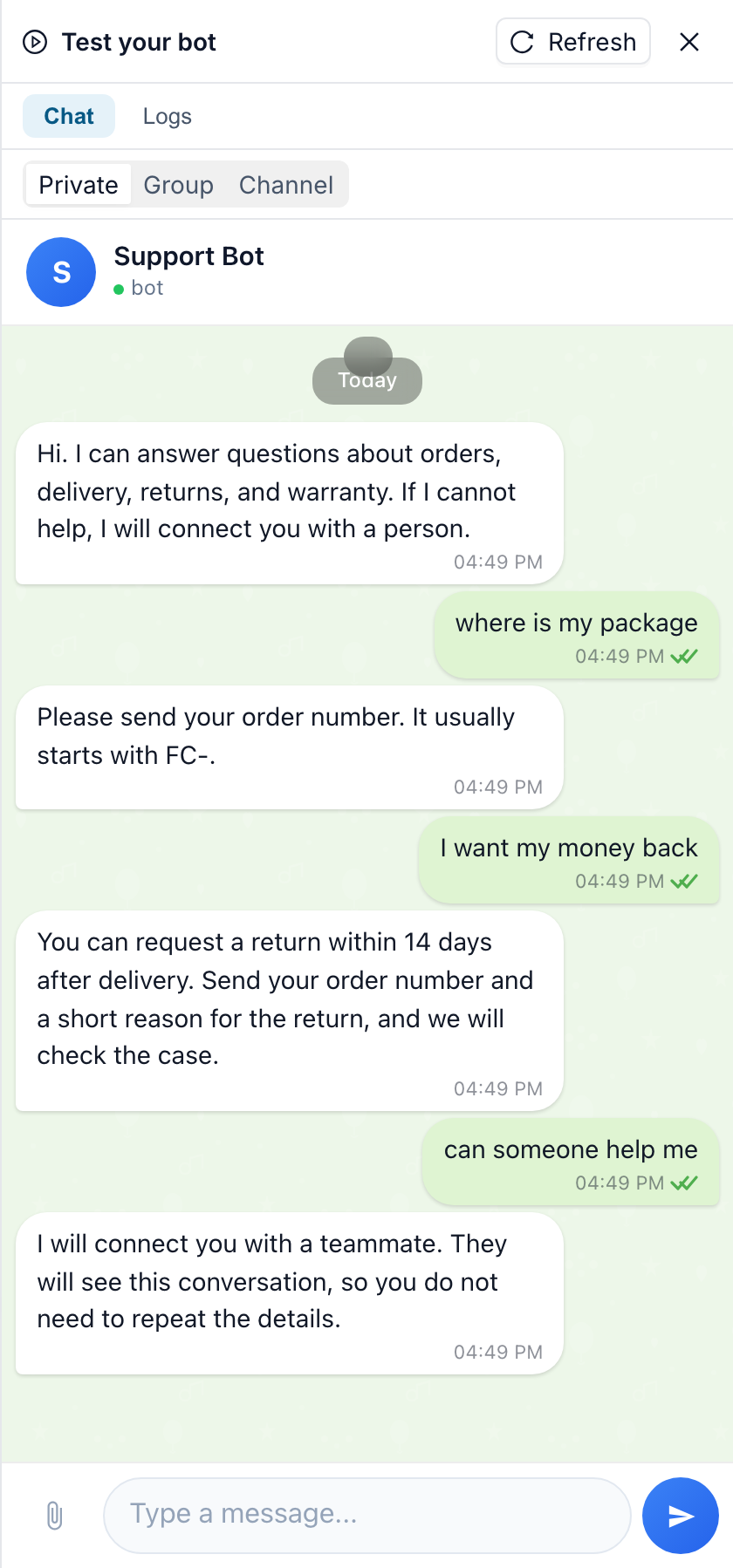
Before publishing, test the bot with messy messages, not only perfect examples. Use phrases like:
- "where is my package"
- "i want my money back"
- "can someone help me"
- "do you ship to Spain"
- "my item arrived broken"
Check what happens in each case. A good result is not always an AI answer. Sometimes the correct result is a handoff.
For every test, verify three things:
- The bot answers from your policy, not from invented assumptions.
- Known requests follow the intent path you configured.
- Sensitive or unclear requests reach a person.
If the bot answers too broadly, tighten the source documents. If it misses a repeated request, add a new intent. If it refuses too often, improve the knowledge base with a clearer answer.
Step 6: Improve it after launch
The first version of a support bot is never the final version. After a week, review the conversations. Look for repeated questions, confusing answers, and places where customers asked for a person earlier than expected.
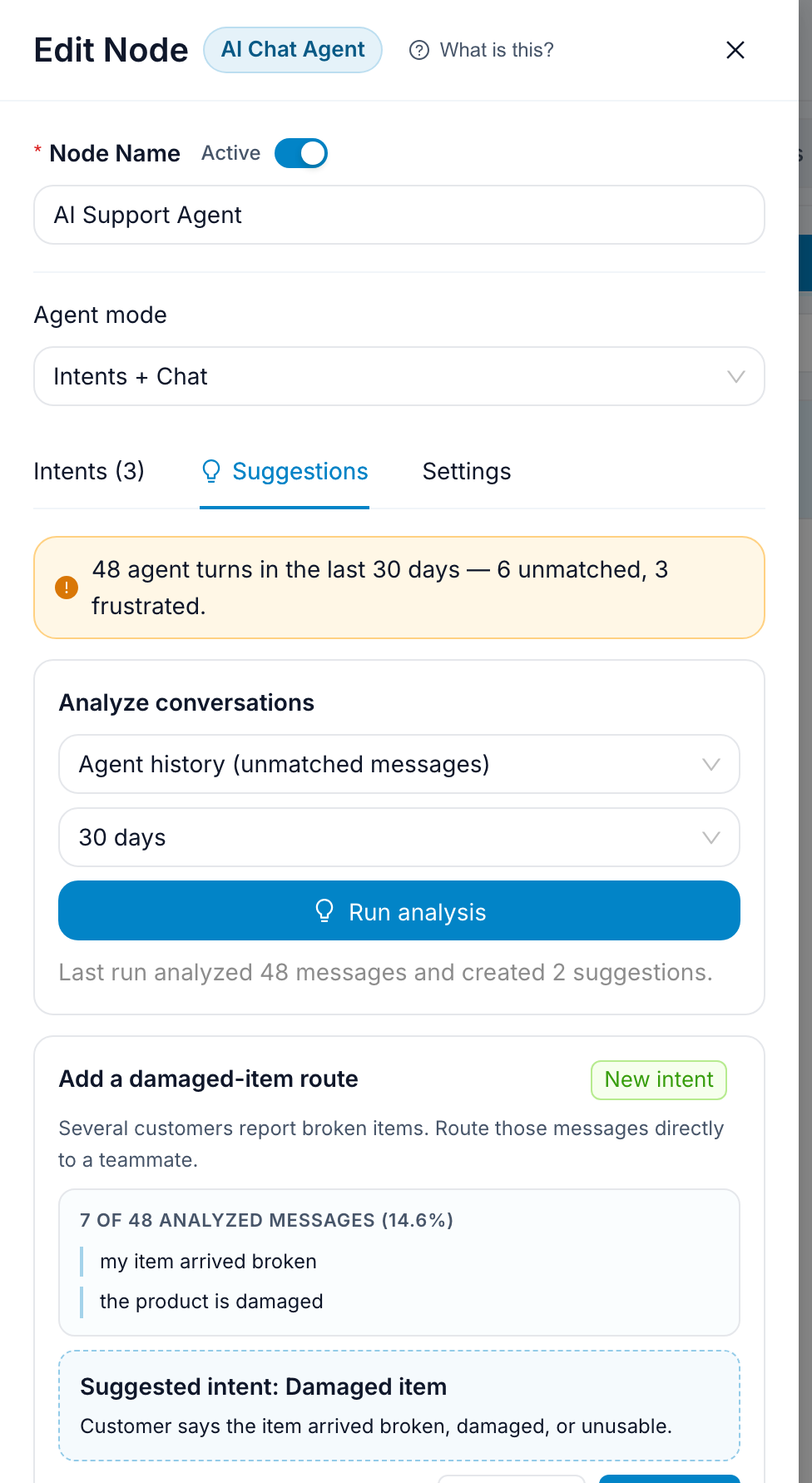
In FlowCastle, use conversation analysis and suggestions to turn those patterns into concrete changes. A useful suggestion might be:
- add a new "Change delivery address" intent
- add a missing paragraph to
shipping-policy.md - rewrite the return answer so it names the 14-day window earlier
- route damaged-item reports directly to a human
Approve the changes that match your support policy. Reject anything that would make the bot overconfident. The goal is not to automate every conversation. The goal is to answer the easy questions instantly and send the hard ones to the right person with context.
Use the same flow on your website
Once the Telegram bot works, you can run the same support flow in the website chat widget. That is useful because customers do not all start in the same channel. Some open Telegram, some land on your pricing page, and some come from a help article.
Keep one support flow and adapt the entry point per channel. The policies, intents, and handoff logic should stay consistent.
Where to go next
Clone the AI FAQ + Human Handoff template, attach your own knowledge base, and replace the example intents with the requests your support team sees every week. Start with a small scope: order status, returns, delivery questions, and human handoff.
After the first real conversations, review the transcripts and improve the knowledge base. A good AI support bot is not a one-time launch. It is a support process that gets clearer every week.