
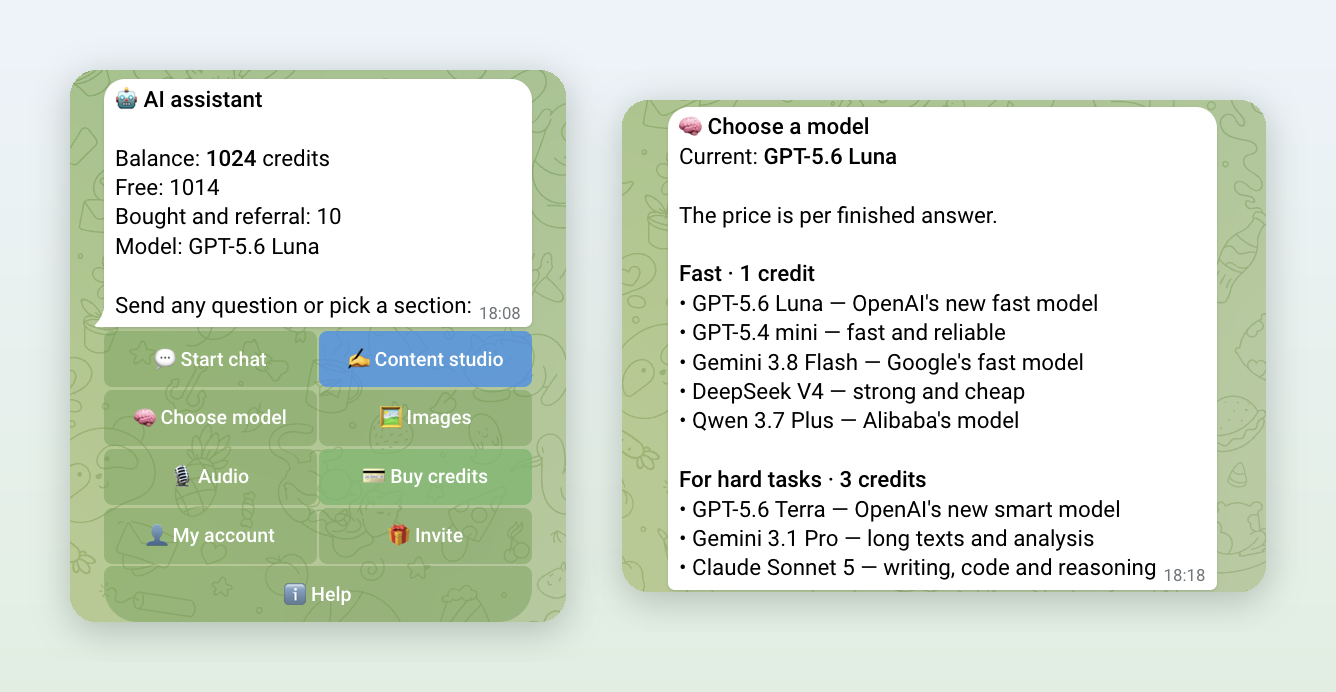
The question comes up all the time: "How do I use ChatGPT inside Telegram, without another app and another subscription?" We built a bot for exactly that: Own AI. Yes, we want you to try it. So this page lists only what the bot really does, with prices, plus a short list of cases where it is the wrong choice.
Short answer: open the bot and type a question. GPT-5.6 Luna answers by default. You get 15 free credits to start and 10 more every day, and a credit is charged only for a finished answer.
1. What the bot does
Everything happens in one Telegram chat. Nothing to install, no website sign-up:
- Answers questions with your choice of 8 models: GPT, Claude, Gemini, DeepSeek and Qwen.
- Reads photos and documents. Send a screenshot, a PDF, a Word file or a spreadsheet and ask about it.
- Replies with a file when you ask: Word, PDF, Excel, CSV.
- Draws images from a description, with GPT Image or Gemini.
- Handles voice notes. It transcribes them, sums them up, or answers the question inside. You can forward a voice note from any chat.
- Writes posts and content plans in your style, in the Content studio.
- Works in group chats when someone mentions it.
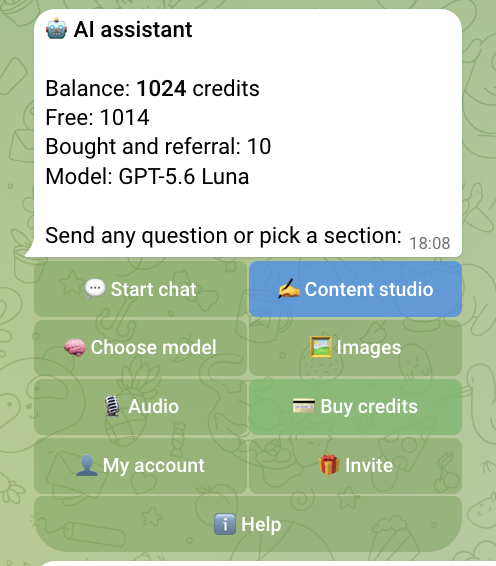
The main menu shows your balance, your current model and every section. Open it any time with /menu.
2. Eight AI models in one chat
Pick a model under "🧠 Choose model" or with /models. Switching is free and unlimited. The price depends only on the model and is charged per finished answer.
| Model | Price per answer | Good for |
|---|---|---|
| GPT-5.6 Luna | 1 credit | The default. OpenAI's new fast model |
| GPT-5.4 mini | 1 credit | Quick, short answers |
| Gemini 3.8 Flash | 1 credit | Google's fast model |
| DeepSeek V4 | 1 credit | Strong and cheap |
| Qwen 3.7 Plus | 1 credit | Alibaba's model |
| GPT-5.6 Terra | 3 credits | Hard tasks, OpenAI's smarter model |
| Gemini 3.1 Pro | 3 credits | Long texts and analysis |
| Claude Sonnet 5 | 3 credits | Writing, code and reasoning |
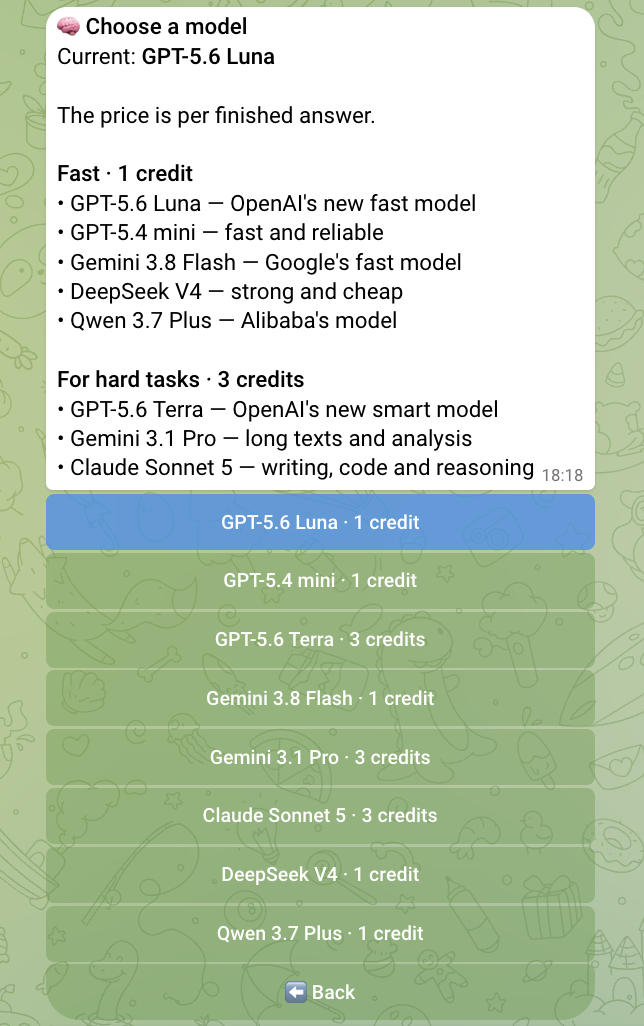
Why several models? They are good at different things. Claude is often better at writing and code, Gemini Pro handles long documents, and a 1-credit model is plenty for quick questions. Don't like an answer? Switch the model and ask again.
3. Chat: questions, photos, documents, files back
Just write to the bot like you would to a person. You don't need to press "Start chat" first.
- It keeps the conversation. The bot sees the last 40 messages, so follow-ups like "make it shorter" or "now in Spanish" work.
- It answers in your language, the one you wrote in.
- Photos. Send up to 10 photos or screenshots at once, with or without a caption: an error on screen, a receipt, a homework problem.
- Documents. PDF, DOC, DOCX, XLSX, TXT, CSV, JSON and other text files, up to 3 per message. The bot keeps a document in view for 24 hours, so you can ask about it one question at a time.
- Files back. Ask "put this in a Word file" and you get a DOCX. It can also send PDF, XLSX, CSV, MD and TXT. Your next message can edit that file: "change the title".
- Drawing from the chat. Write "draw…" and the image comes back as the answer. It costs 3 credits, the same as in the Images section.
Credits for an answer are reserved first and charged only when the answer arrives. If the model fails, you keep your credits.
4. Images, voice notes and posts
Images (/image): pick GPT Image or Gemini / Imagen and describe the picture. 3 credits, charged only after a successful image.
Voice notes: send or forward a voice note or an audio file. The bot offers four actions: transcribe (1 credit), short summary with tasks (2 credits), answer the question (the price of your model), or tell it what to do in your own words (2 credits). The audio is transcribed once, so a summary after a transcript doesn't pay for transcription again. The Audio section (/audio) also has voice to text for files up to 25 MB and text to speech for up to 4,096 characters, 1 credit each.
Content studio: fill in an author profile once (platform, topic, audience, style). Then the bot writes a new post (2 credits), improves your draft (1 credit) or makes a 7-day content plan (2 credits).
Group chats: add the bot with "➕ Add to a group". It answers when mentioned or replied to, for 1 credit from the person who asked. Anyone who wants to pay for the whole group can turn that on with /group_pay, covering up to 10 requests per member per day.
5. What it costs
| Starting bonus | 15 credits |
| Every day | +10 free credits, while your free balance is under 20 |
| Chat answer | 1 or 3 credits, depending on the model |
| Image | 3 credits |
| Voice-note transcript | 1 credit |
| Post / content plan | 2 credits |
| 100 credits | ⭐ 99 |
| 300 credits | ⭐ 249 |
| 700 credits | ⭐ 499 |
You pay with Telegram Stars, right in the chat, with no subscription. Free credits are spent first. Bought credits never expire. Check your balance under "👤 My account" or /cabinet.
Invite friends with your own link ("🎁 Invite") and you get 10% of each of their purchases as credits that never expire. Payment questions go to /paysupport, with a reply within 24 hours.
6. When it is the wrong choice
- You need fresh news or web search. The bot answers from the model's knowledge and your files. It does not browse websites.
- You need video. It works with text, photos, documents and audio, not video.
- You want it to remember you for months. It remembers the last 40 messages of a conversation, not long-term facts about you.
- You need a huge document in one reply. Build a long report section by section; the quality is better that way too.
- You want everything in English. The main menu, model picker, chat and payment screens are in English. The Images, Audio, Content studio, account and help screens still reply in Russian. Chat answers always come in your language.
- You want to pay by card. For now it's Telegram Stars only.
7. How to start
- Open Own AI and tap "Start".
- Type a question, or send a photo, a document or a voice note.
- Change the model with /models if you like.
The 15 starting credits cover about 15 fast-model answers or 5 images. Ten more arrive the next day.
One more thing: the whole bot is built on our FlowCastle builder, with no custom backend: menus, Stars payments, credits and voice handling included. If you want an AI bot like this under your own brand, for customers or for your team, see how we build an AI support bot or build a Telegram bot without coding.