
Telegram Customer Support Bot
Answer the same questions automatically, and hand the hard ones to a person — without your customer noticing the seam.
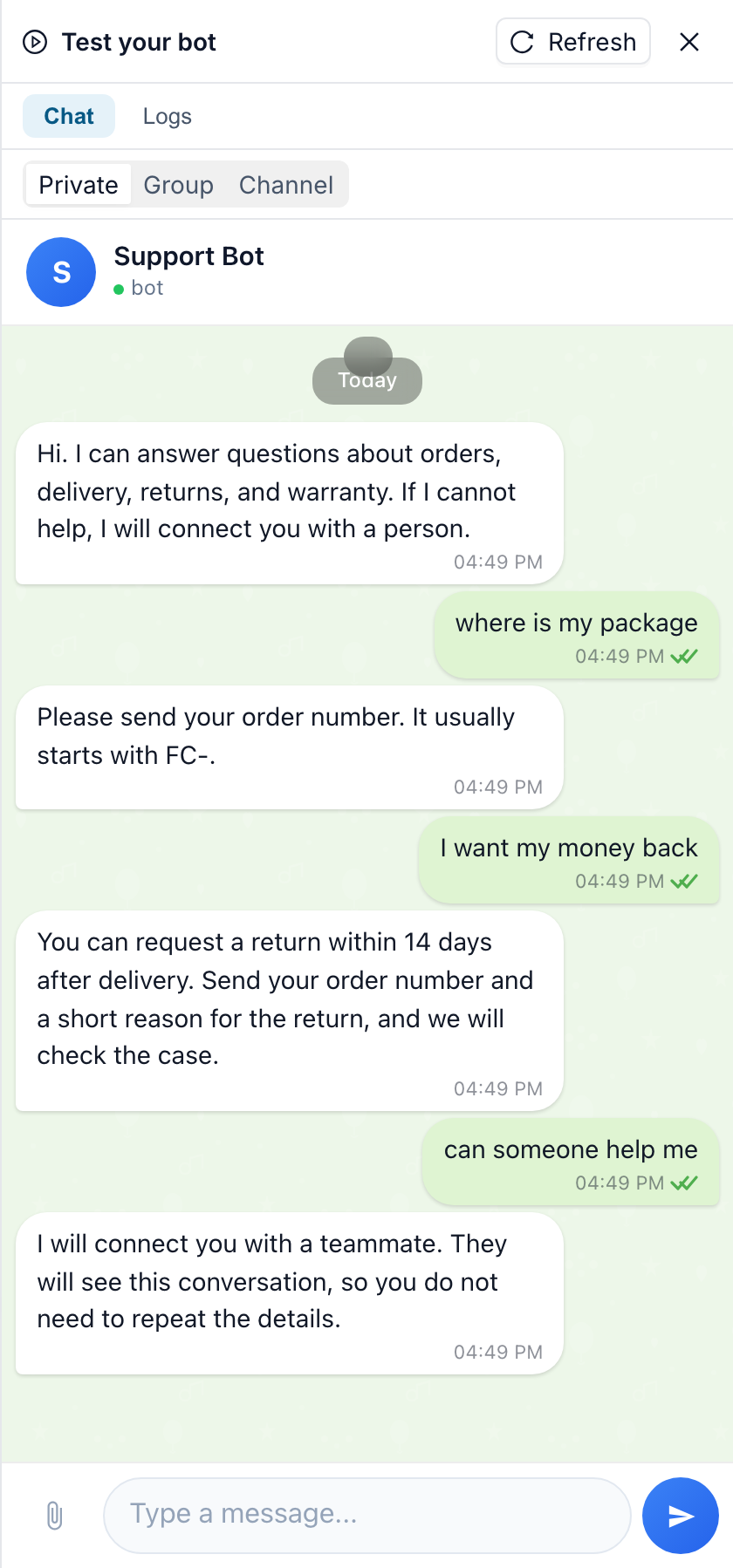
The problem
Support in Telegram usually breaks in three predictable ways:
- The same twenty questions, forever. Opening hours, delivery times, refunds, "where is my order" — answered by hand, hundreds of times a month.
- Nights and weekends are dead air. The question arrives at 23:40; the answer arrives at 09:15, by which time the customer has asked a competitor.
- A bot that cannot give up is worse than no bot. The moment a real problem appears, a scripted bot loops — and the customer has no way to reach a human.
How it works in FlowCastle
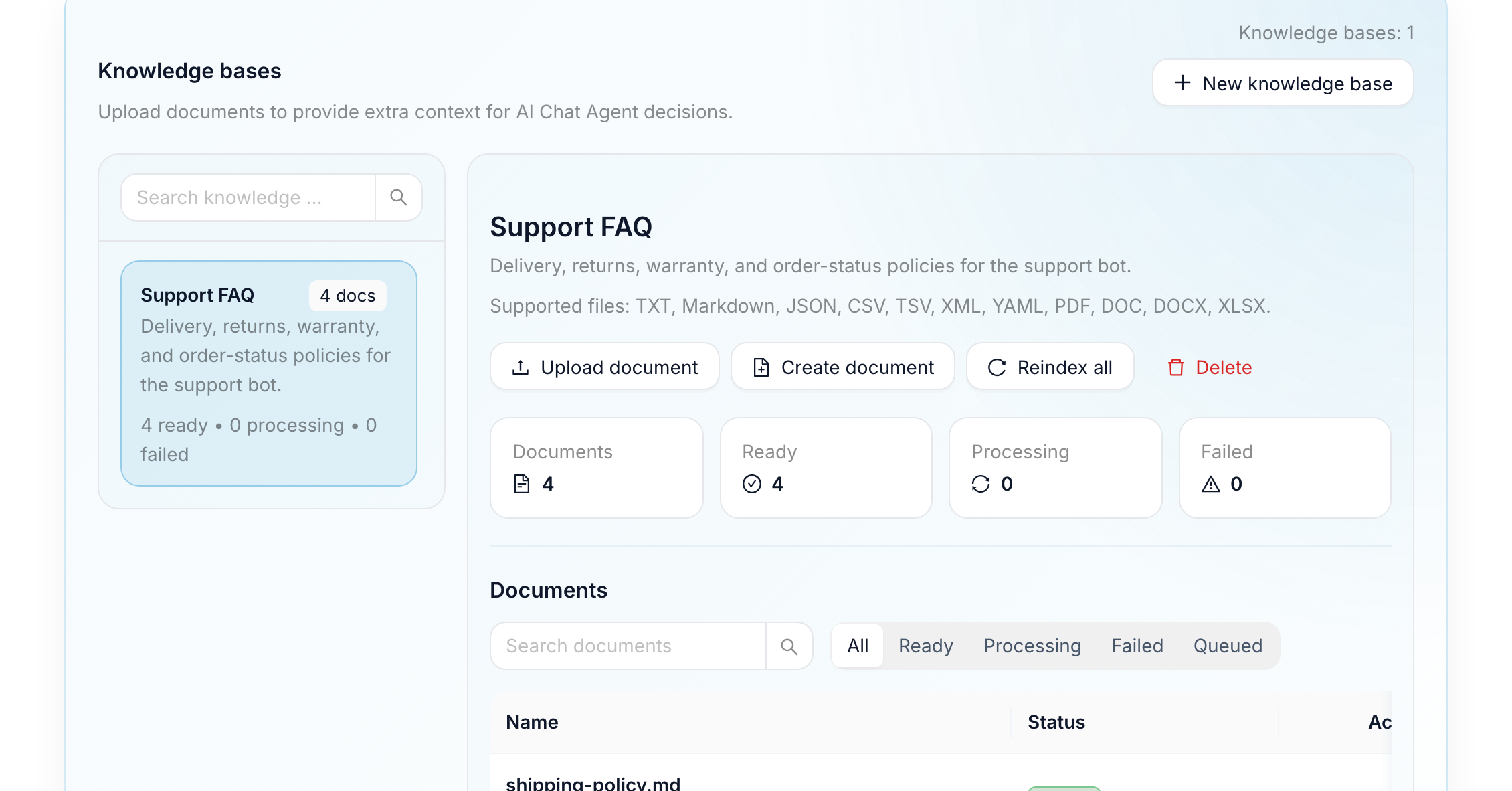
1. Give the bot your knowledge, not a script tree. Point it at your website, help docs, or a pasted FAQ, and it answers from that material instead of from hand-built branches. When your policy changes, you update the source — not fifty message nodes.
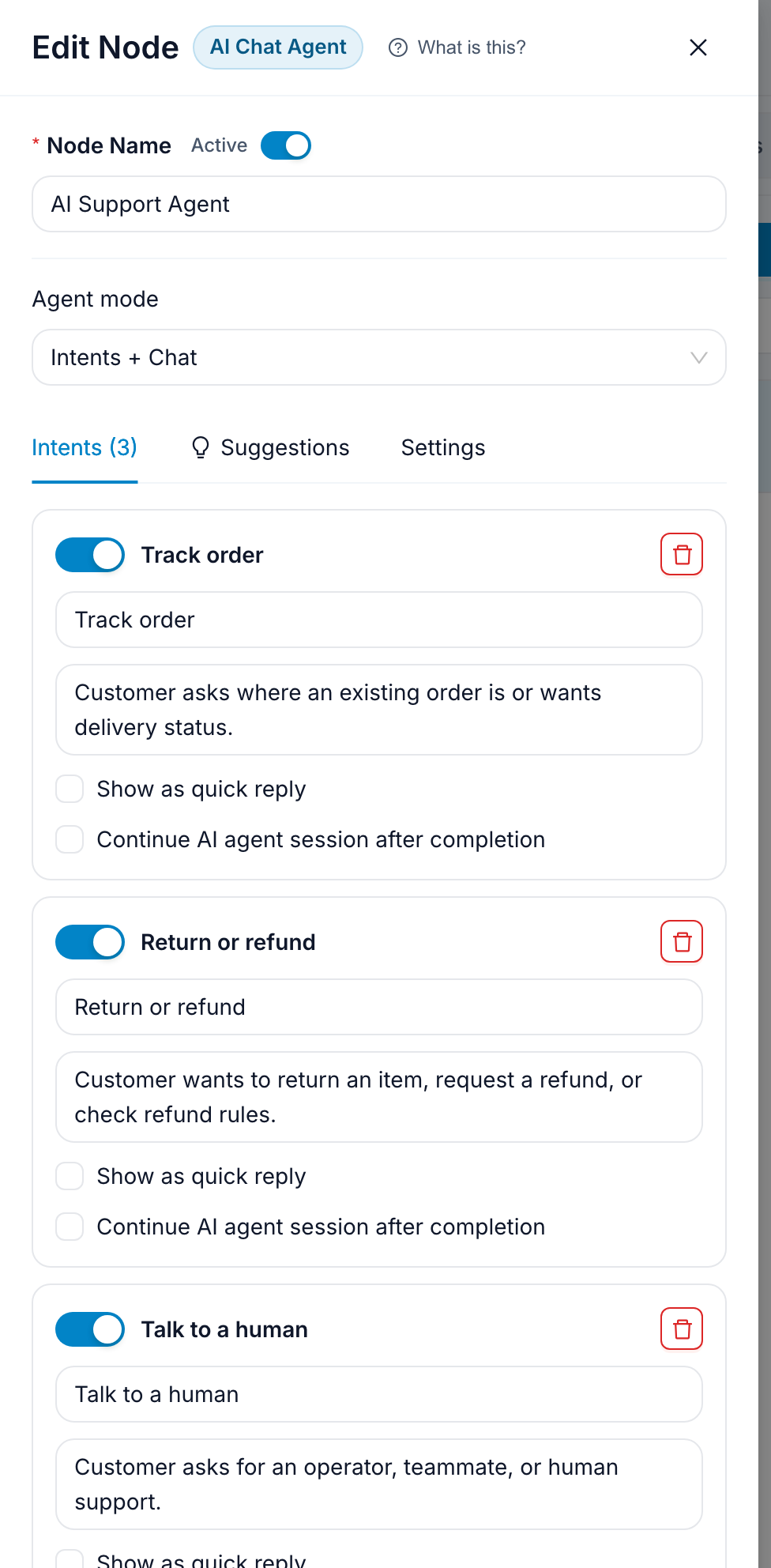
2. Decide what it must never guess. Refunds, billing, anything account-specific: route those to a human on purpose. The visual canvas makes that rule visible, so the whole team can see what the bot will and will not answer.
3. Hand off cleanly. When the bot escalates, the conversation moves into a shared inbox with its full history, and your team replies from there. The customer stays in the same chat — no ticket number, no "please email support", no repeating themselves.
The same bot answers on your website
A support bot that only lives in Telegram leaves your website visitors behind. The same flow runs in the web chat widget, so one set of answers covers both channels and you maintain a single bot rather than two.
What you can see afterwards
Every conversation becomes a contact with history, and analytics shows which questions actually come up, where people drop off, and how often the bot escalates. That escalation rate is the number to watch: it tells you exactly which answer to add next.
Templates for this
Frequently asked questions
Can a Telegram bot answer support questions without me writing every reply?
Yes. Point the bot at your website, help docs or a pasted FAQ and it answers from that material. You write the rules for what it must not answer on its own, not the answers themselves.
What happens when the bot cannot help?
It hands the conversation to a person. The chat moves into a shared inbox with its full history and your team replies there, in the same Telegram chat the customer is already using — no ticket number and no repeating the question.
Does it work outside Telegram?
The same flow runs in the website chat widget and over e-mail, so one bot covers those channels. WhatsApp and Instagram are not supported today.
How long does it take to launch one?
Start from a template rather than a blank canvas. The AI FAQ Assistant template is a working support bot with human handoff already wired; cloning it and swapping in your own content is usually an afternoon.
Is it free to try?
Yes. There is a free plan and no card is required to build and test a bot.
Build it this week
Start from a template on the free plan. No card required.
Clone a support bot template